
A payment failed
Why a charge is declined and how to pay the invoice anyway.
19 May 2026 · 3 min read
Seeing a declined payment is stressful, especially when a server is on the line. Most failures have a simple cause and can be fixed in a few minutes. Your services are not deleted the moment a charge fails, so you have time to sort it out calmly.
Why a charge gets declined
The panel shows the reason we receive from the payment provider whenever it is available. The most common ones are:
- Insufficient funds on the card or account.
- Expired card saved in Payment methods.
- 3D Secure not completed: your bank asked for confirmation in its app and the request timed out.
- Blocked by the bank: some banks block foreign or recurring charges by default.
- Card limit reached for online or monthly spending.
Tip: If you see a 3D Secure failure, open your banking app before retrying. The approval prompt often waits there silently.
Pay the invoice anyway
You do not need to wait for the next automatic retry. Open the invoice and pay it straight away:
- Open the service and go to the Billing tab, or open the invoice from the email we sent.
- Press Pay now.
- Choose a payment method: a different saved card, a new card, PayPal, or your account credit.
- Complete any confirmation your bank asks for.
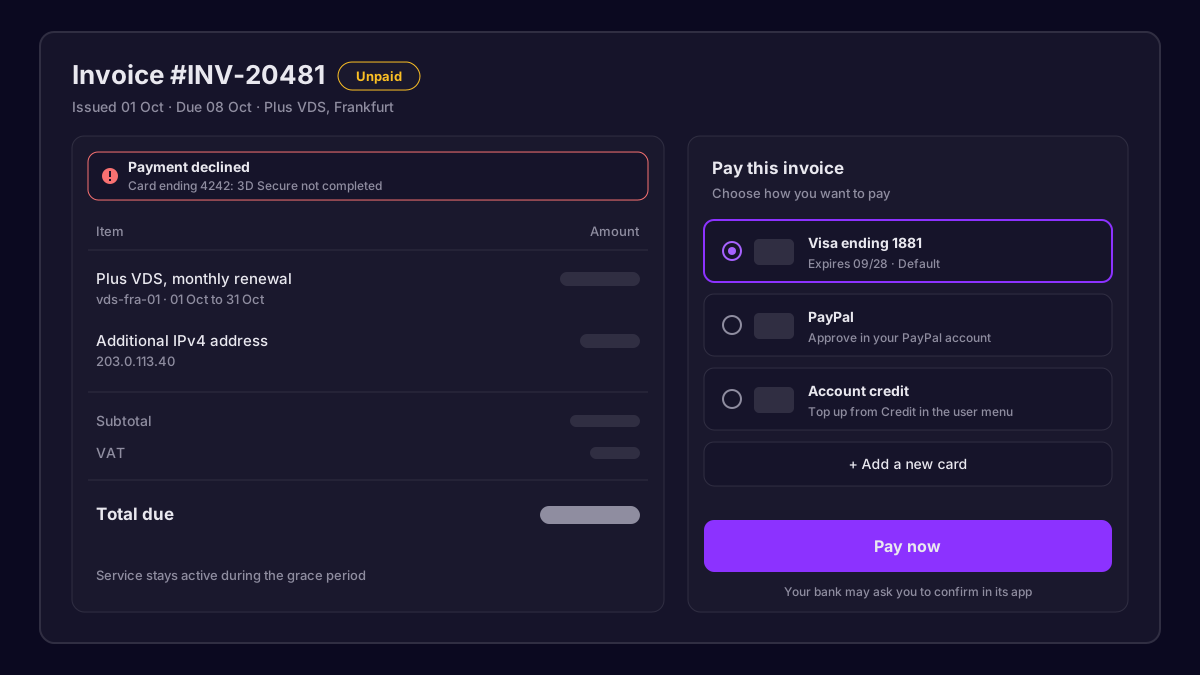 An unpaid invoice with the Pay now button and payment options
As soon as the payment goes through, the invoice is marked paid and any suspended service starts again automatically.
Using account credit
Credit is the easiest way to avoid failed renewals. Open the user menu in the bottom left, choose Credit, and top up the amount you want. Renewals are paid from credit first, then from your default card if credit runs out.
| Option | Best for | Notes |
|---|---|---|
| Saved card | Set and forget renewals | Keep the expiry date up to date |
| PayPal | When cards are blocked | Approve the payment in PayPal |
| Account credit | Predictable budgets | Covers renewals before any card is charged |
Update your payment method
To prevent the next failure, open Payment methods from the user menu:
- Remove expired cards.
- Add a new card and mark it as default.
- Make sure the billing address matches the one your bank has on file.
What happens if the invoice stays unpaid
We follow a predictable timeline so nothing comes as a surprise:
- Due date: we try to charge your default payment method and email you if it fails.
- A few days later: we retry automatically and send a reminder.
- After the grace period: the service is suspended. Data stays on the disk, but the server is powered off.
- Long overdue: the service is cancelled and data is removed. We always email before this step.
If you are having trouble paying, open a ticket from Support before the service is suspended. We are happy to look at options, and it is always easier to help early.
Our team answers within minutes, 24/7.